

Most people's primary screen is their phone. Whether you're on a commute, lying in bed, or just prefer mobile to desktop — watch parties should work just as well on a phone as on a laptop. In practice, many platforms are desktop-first and deliver a compromised mobile experience.
Here are the best watch party options that genuinely work on mobile in 2026, ranked by how well they handle iOS and Android.
What "Mobile Support" Actually Means
A watch party platform has meaningful mobile support if:
- The website loads correctly on a mobile browser without pinching and zooming ✓
- Video plays without requiring Flash or unsupported codecs ✓
- Video chat works on mobile (camera and microphone access) ✓
- No app download is required to join as a guest ✓
- Chat and reactions are usable on a small screen ✓
Many platforms technically "work" on mobile but deliver a cramped, broken, or feature-limited experience. Here's the honest breakdown.
1. WatchAlong.me — Best Mobile Watch Party Experience
WatchAlong.me is fully responsive and optimized for mobile browsers. It works on iOS Safari, Chrome for Android, and any modern mobile browser without any app download.
Mobile features: - Video playback — YouTube, Vimeo, Dailymotion, HLS, and direct URLs all load on mobile browsers - Video chat — camera and microphone access work on iOS and Android via browser permissions - Text chat — the chat sidebar is touch-optimized and readable on small screens - Chat themes — all 12+ illustrated backgrounds are available on mobile, making the interface just as visually personalized as on desktop - Sticker reactions — fully functional on mobile, ideal for quick thumbs-only reactions during a session - Drawing canvas — works on mobile touchscreens. Use your finger to draw, annotate, and circle things on a paused video frame. Especially intuitive on a touchscreen.
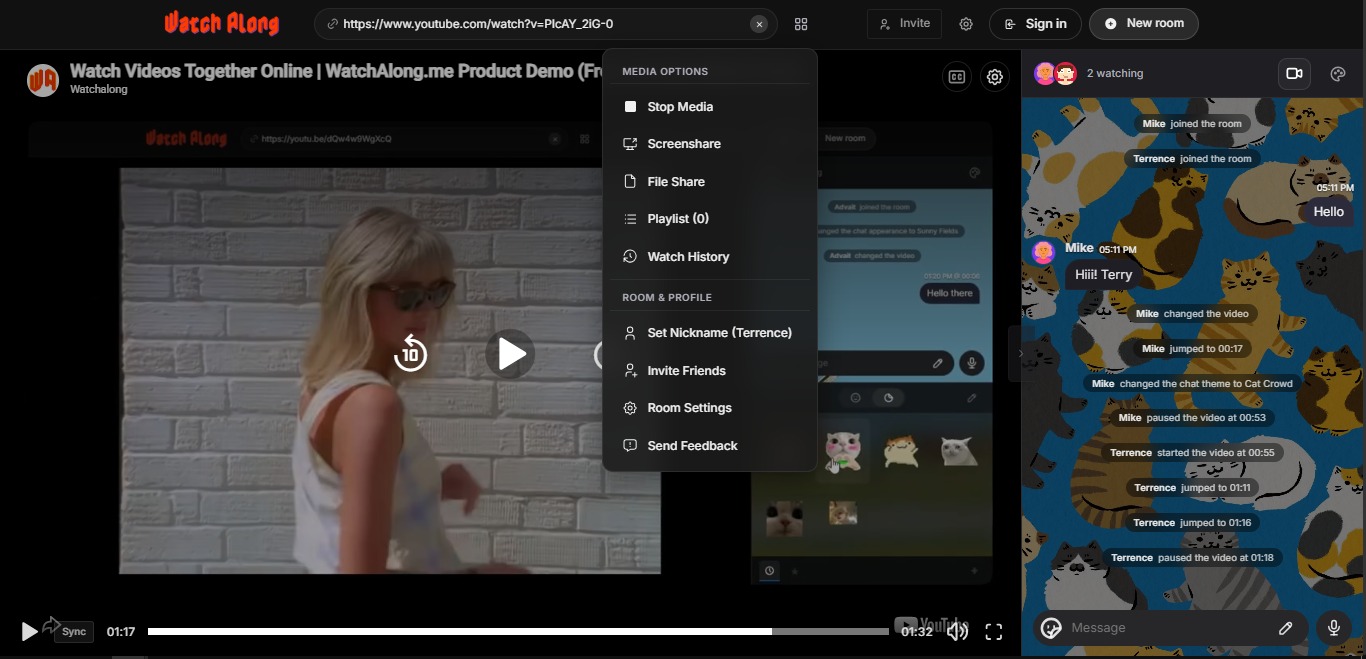
No app download. Guests join via a link in any browser. No App Store visit, no permissions request beyond camera/microphone for video chat.
Open WatchAlong.me on your phone — free, works in any browser
2. Rave — Best Dedicated Mobile App
Rave is purpose-built for mobile — it's available on iOS and Android and has a polished native app experience. It supports YouTube, Netflix, and Google Drive content.
Mobile strengths: Native app polish, familiar mobile UI patterns, voice chat included Limitations: Account required, mobile-only (no desktop version), limited to Rave's supported platforms, no drawing tools or chat themes
→ See Rave app alternatives if you want a cross-device option.
3. Teleparty — Limited Mobile Support
Teleparty is a Chrome extension — it fundamentally cannot work on iOS (which doesn't support Chrome extensions) and has limited support on Android Chrome.
Mobile verdict: Effectively mobile-incompatible for iOS users, very limited for Android.
→ See Teleparty alternatives for mobile-friendly options.
4. Watch2Gether — Partial Mobile Support
Watch2Gether has a mobile-responsive website that loads on iOS and Android. YouTube playback works, though the interface feels cramped on smaller screens and some features are reduced.
Mobile verdict: Works for basic YouTube sessions, but the experience is visibly optimized for desktop.
5. Kosmi — Partial Mobile Support
Kosmi's web app works on mobile browsers but the virtual room interface is complex and doesn't adapt well to small screens. The video chat and virtual room features feel cramped on a phone.
Mobile verdict: Better on tablet than phone. Desktop strongly preferred.
6. Discord Mobile App — Good for Voice/Video, Bad for Watch Party
Discord's mobile apps (iOS and Android) are excellent for voice and video calls. The Go Live screen-share feature doesn't work on mobile for hosting (you can view a stream but not broadcast from mobile). This makes it impractical for mobile-hosted watch parties.
Mobile verdict: Good for joining a voice call alongside a watch party, poor for hosting.
Mobile Watch Party Comparison
| Platform | iOS | Android | No App Required | Video Chat | Drawing | Themes |
|---|---|---|---|---|---|---|
| WatchAlong.me | ✓ | ✓ | ✓ | ✓ | ✓ | ✓ |
| Rave | ✓ | ✓ | — (app needed) | ✓ | — | — |
| Teleparty | — | Limited | — | — | — | — |
| Watch2Gether | Partial | Partial | ✓ | — | — | — |
| Kosmi | Partial | Partial | ✓ | ✓ | — | — |
| Discord | ✓ | ✓ | — (app needed) | ✓ | — | — |
Tips for a Smooth Mobile Watch Party
Use headphones. Mobile speakers are often quiet and tinny for film audio. Headphones (or earbuds with a mic) also prevent echo on video chat.
Enable Do Not Disturb. Incoming calls and notifications can interrupt video playback on some phones. Set your phone to Do Not Disturb for the duration of the session.
Lock screen orientation. Decide landscape or portrait before starting. WatchAlong.me adapts to both, but changing mid-session can disrupt the chat layout.
Keep your screen from locking. Go to Settings → Display → Screen Timeout and set a longer interval. A screen that locks mid-movie requires you to unlock and re-engage the player.
Use Wi-Fi, not mobile data. Streaming video over mobile data is expensive and often slower than home Wi-Fi. Connect to Wi-Fi before starting.
Final Verdict
For mobile watch parties, WatchAlong.me is the strongest option available — it's the only platform that delivers the full feature set (video chat, drawing canvas, chat themes, sticker reactions, multi-source video) on a mobile browser without requiring an app download.
For guests joining a room from a phone, the experience is seamless — click the room link, allow camera/mic if desired, and watch together.
Read also: free watch party sites no sign-up | best websites to watch videos together
Try WatchAlong.me on your phone right now — free, no app needed